What is Jenkins used for in devops
What is Jenkins?
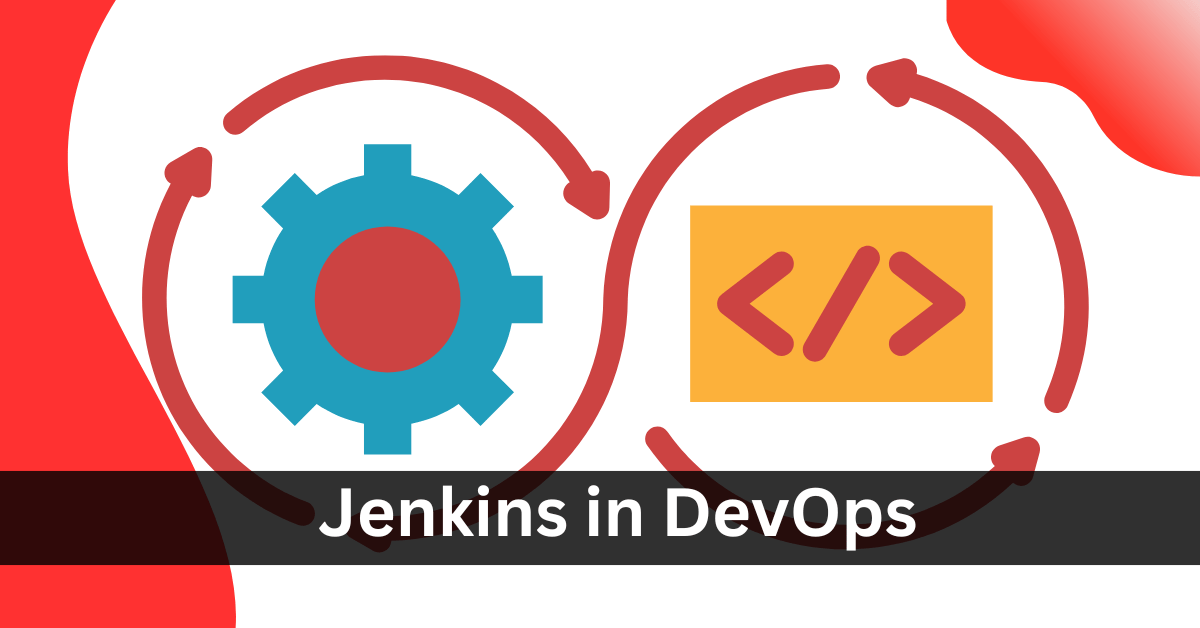
Jenkins is an open-source automation server that helps automate parts of the software development process. It’s widely used for continuous integration (CI) and continuous delivery (CD) pipelines, allowing developers to automatically build, test, and deploy their applications as part of a DevOps workflow.
Key Features of Jenkins:
- Automation: Jenkins automates repetitive tasks such as testing and building software.
- Extensibility: It supports a large number of plugins, enabling integration with various tools (e.g., Git, Docker, Maven).
- Scalability: Jenkins can scale across multiple machines for faster builds and deployments.
- Pipeline as Code: Jenkins uses “Jenkinsfile” for defining pipeline steps, which can be versioned alongside the code.
Plugins in Jenkins
Plugins in Jenkins are add-ons or extensions that provide additional functionality to the core Jenkins system. They enable Jenkins to integrate with various tools, platforms, and technologies, enhancing its capabilities. Plugins allow you to customize Jenkins to suit the specific needs of your CI/CD pipelines by adding features such as source code management, build automation, testing, reporting, notifications, and more.
Jenkins, at its core, is quite minimal, but plugins make it powerful and flexible for various use cases.
Key Purposes of Jenkins Plugins:
- Integration with Version Control Systems:
- Plugins allow Jenkins to integrate with popular version control systems like Git, Subversion (SVN), Mercurial, Bitbucket, etc.
- Example: The Git Plugin allows Jenkins to pull code from Git repositories.
- Build and Compilation Tools:
- Plugins can integrate build tools like Maven, Gradle, and Ant, which are commonly used for Java, Android, and other software builds.
- Example: The Maven Integration Plugin enables Jenkins to build and deploy projects using Apache Maven.
- Testing and Code Quality:
- Plugins help integrate testing tools and frameworks (like JUnit, Selenium, Cucumber) into Jenkins pipelines.
- They can also integrate code quality tools like SonarQube, Checkstyle, or JaCoCo for code analysis and coverage reporting.
- Example: The JUnit Plugin allows Jenkins to parse and display test results from JUnit reports.
- Deployment Tools:
- Plugins can manage deployment processes by integrating Jenkins with container platforms like Docker, orchestration tools like Kubernetes, or configuration management tools like Ansible and Terraform.
- Example: The Docker Plugin allows Jenkins to interact with Docker containers, facilitating CI/CD pipelines that involve Dockerized environments.
- Notifications and Collaboration:
- Plugins enable Jenkins to send notifications to various channels such as Email, Slack, Microsoft Teams, etc.
- Example: The Slack Notification Plugin allows Jenkins to send build status notifications to Slack channels.
- Pipeline and Job Management:
- Jenkins pipelines can be enhanced using plugins for better control, visualization, and management of jobs.
- Example: The Pipeline Plugin introduces support for creating and managing Jenkins pipelines using the “Pipeline as Code” approach (Jenkinsfile).
- User Management and Security:
- Plugins allow you to integrate Jenkins with authentication and authorization services like LDAP, Active Directory, and OAuth.
- Example: The LDAP Plugin allows you to authenticate Jenkins users through an LDAP directory.
- Distributed Builds:
- Plugins help Jenkins work in distributed environments by managing communication between the Jenkins master and slave nodes.
- Example: The SSH Build Agents Plugin enables Jenkins to connect and manage remote build agents via SSH.
Examples of Popular Jenkins Plugins:
- Git Plugin: For integrating Git repositories with Jenkins.
- Pipeline Plugin: For defining continuous delivery pipelines using code (Jenkinsfile).
- Docker Pipeline Plugin: For building and running Docker containers within Jenkins pipelines.
- Blue Ocean Plugin: Provides a modern, user-friendly UI for Jenkins pipelines.
- Kubernetes Plugin: Integrates Jenkins with Kubernetes for container orchestration.
- Email Extension Plugin: Enables Jenkins to send detailed build notifications via email.
- SonarQube Scanner Plugin: Integrates SonarQube for code quality analysis.
How to Manage Plugins in Jenkins:
- Installation:
- Plugins can be installed from the Jenkins dashboard by navigating to “Manage Jenkins” > “Manage Plugins” > “Available”.
- You can search for and install any required plugins from the list.
- Updates:
- Jenkins allows you to update plugins directly from the “Manage Plugins” section, ensuring you have the latest features and security patches.
- Custom Plugins:
- You can also create custom plugins if a specific feature you need isn’t available in the Jenkins plugin ecosystem.

Cybersecurity Architect | Cloud-Native Defense | AI/ML Security | DevSecOps
𝐖𝐢𝐭𝐡 𝟐𝟑+ 𝐲𝐞𝐚𝐫𝐬 𝐨𝐟 𝐞𝐱𝐩𝐞𝐫𝐭𝐢𝐬𝐞 𝐢𝐧 𝐜𝐲𝐛𝐞𝐫𝐬𝐞𝐜𝐮𝐫𝐢𝐭𝐲 𝐚𝐧𝐝 𝐜𝐥𝐨𝐮𝐝-𝐧𝐚𝐭𝐢𝐯𝐞 𝐝𝐞𝐟𝐞𝐧𝐬𝐞, 𝐈 𝐚𝐫𝐜𝐡𝐢𝐭𝐞𝐜𝐭 𝐫𝐞𝐬𝐢𝐥𝐢𝐞𝐧𝐭 𝐝𝐢𝐠𝐢𝐭𝐚𝐥 𝐞𝐜𝐨𝐬𝐲𝐬𝐭𝐞𝐦𝐬 𝐛𝐲 𝐢𝐧𝐭𝐞𝐠𝐫𝐚𝐭𝐢𝐧𝐠 𝐙𝐞𝐫𝐨 𝐓𝐫𝐮𝐬𝐭, 𝐭𝐡𝐫𝐞𝐚𝐭 𝐢𝐧𝐭𝐞𝐥𝐥𝐢𝐠𝐞𝐧𝐜𝐞, 𝐚𝐧𝐝 𝐩𝐫𝐨𝐚𝐜𝐭𝐢𝐯𝐞 𝐫𝐢𝐬𝐤 𝐦𝐢𝐭𝐢𝐠𝐚𝐭𝐢𝐨𝐧 𝐢𝐧𝐭𝐨 𝐞𝐯𝐞𝐫𝐲 𝐥𝐚𝐲𝐞𝐫 𝐨𝐟 𝐢𝐧𝐟𝐫𝐚𝐬𝐭𝐫𝐮𝐜𝐭𝐮𝐫𝐞.
My journey began in network security (firewalls, IDS/IPS) and evolved through Linux/Windows hardening, IAM, and DevSecOps—bridging security with agile development. Today, I specialize in securing multi-cloud (AWS/Azure/GCP) environments.
𝐀𝐬 𝐚 𝐭𝐫𝐮𝐬𝐭𝐞𝐝 𝐚𝐝𝐯𝐢𝐬𝐨𝐫, 𝐈 𝐡𝐞𝐥𝐩 𝐨𝐫𝐠𝐚𝐧𝐢𝐳𝐚𝐭𝐢𝐨𝐧𝐬:
✔️ Align security investments with business objectives (reducing TCO while maximizing cyber ROI).
✔️ Prioritize risks executives care about—translating technical vulnerabilities into financial/operational impact.
✔️ Optimize team workflows by merging DevSecOps agility with governance rigor—no more “security vs. speed” trade-offs.
𝐂𝐨𝐫𝐞 𝐒𝐭𝐫𝐞𝐧𝐠𝐭𝐡𝐬 & 𝐃𝐢𝐟𝐟𝐞𝐫𝐞𝐧𝐭𝐢𝐚𝐭𝐢𝐨𝐧:
𝘌𝘯𝘥-𝘵𝘰-𝘦𝘯𝘥 𝘴𝘦𝘤𝘶𝘳𝘪𝘵𝘺 𝘢𝘳𝘤𝘩𝘪𝘵𝘦𝘤𝘵𝘶𝘳𝘦—𝘧𝘳𝘰𝘮 𝘯𝘦𝘵𝘸𝘰𝘳𝘬 𝘩𝘢𝘳𝘥𝘦𝘯𝘪𝘯𝘨 𝘵𝘰 𝘈𝘐-𝘥𝘳𝘪𝘷𝘦𝘯 𝘵𝘩𝘳𝘦𝘢𝘵 𝘥𝘦𝘵𝘦𝘤𝘵𝘪𝘰𝘯.
𝐌𝐮𝐥𝐭𝐢-𝐂𝐥𝐨𝐮𝐝 𝐒𝐞𝐜𝐮𝐫𝐢𝐭𝐲: Deep expertise in AWS/Azure/GCP security tools (Kubernetes, CSPM, CWPP).
𝐓𝐡𝐫𝐞𝐚𝐭 𝐈𝐧𝐭𝐞𝐥𝐥𝐢𝐠𝐞𝐧𝐜𝐞 & 𝐅𝐨𝐫𝐞𝐧𝐬𝐢𝐜𝐬: Proactive hunting, incident response, and post-breach analysis.
𝐙𝐞𝐫𝐨 𝐓𝐫𝐮𝐬𝐭 & 𝐈𝐀𝐌: Architecting least-privilege access, PKI, and micro-segmentation.
𝐀𝐈/𝐌𝐋 𝐒𝐞𝐜𝐮𝐫𝐢𝐭𝐲: Securing LLMs, MLOps pipelines, and data lakes against adversarial attacks.
𝐑𝐞𝐜𝐞𝐧𝐭 𝐂𝐨𝐧𝐬𝐮𝐥𝐭𝐢𝐧𝐠 𝐏𝐫𝐨𝐣𝐞𝐜𝐭𝐬 – 𝐀𝐠𝐞𝐧𝐭𝐢𝐜 𝐀𝐈 & 𝐀𝐈 𝐒𝐞𝐜𝐮𝐫𝐢𝐭𝐲:
✔️ Led security architecture for a GenAI‑powered Agentic AI system (autonomous task‑planning agents using LangChain & AutoGPT). Designed guardrails against prompt injection, tool‑calling abuse, and data exfiltration via agent‑to‑agent communication. Result: Zero security breaches across 10k+ agentic transactions.
✔️ Advised a fintech firm on AI supply chain security – hardened their LLM fine‑tuning pipeline (Hugging Face + AWS SageMaker) against model poisoning and backdoor attacks. Implemented real‑time anomaly detection for model inputs using statistical outlier scoring.
Let’s connect and discuss the future of secure, intelligent infrastructure.