The Definitive Guide to AWS ECS Security in 2026: Best Practices for ECR, Runtime Protection, and AI Threat Detection
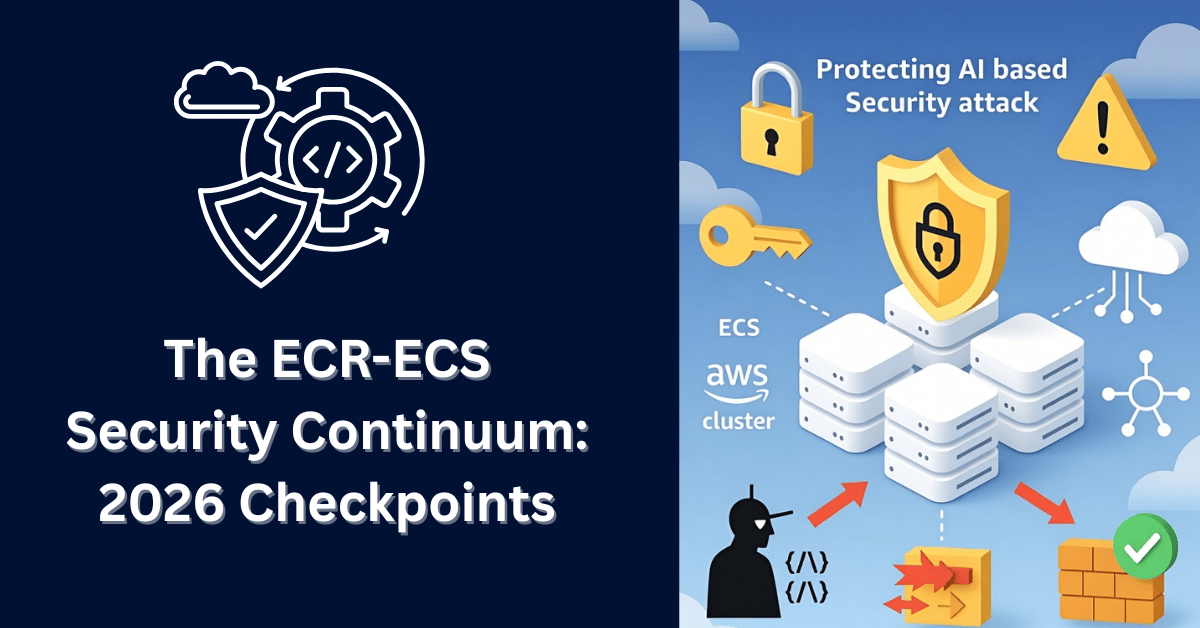
The ECR‑ECS Security Continuum: 2026 Checkpoints
If you are still treating your Amazon Elastic Container Registry (ECR) as a separate entity from your Amazon Elastic Container Service (ECS) clusters, you are architecting blind spots into your production environment. In 2026, this separation is no longer viable. The container registry and the orchestration layer are now a single attack surface—a continuum that attackers exploit from end to end.
Over the past two years, we have witnessed a fundamental shift in adversary behavior. Attackers no longer just scan for open ports on running tasks. They poison the image in ECR, wait for ECS to pull it, and then execute their payload in your production namespace. Worse, we are now seeing attacks that abuse the trust relationship between these services. Compromise the task IAM role, and you can pull every image from ECR. Poison a single base image, and every ECS service using it becomes a backdoor.
Having spent years deep in AWS security architecture, I can tell you that the checkpoints we enforced in 2024 are insufficient for the threats of 2026. We are dealing with AI-generated malware that rewrites itself to evade scanning, and we are dealing with the complexity of hundreds of microservices all pulling from the same registry.
Here are the unified security checkpoints you must enforce across your ECR repositories and ECS clusters to survive the modern threat landscape.
1. The Trusted Pipeline: From Commit to Running Task
The first checkpoint is no longer just about what lands in ECR, but about how it transitions from registry to runtime. In 2026, the handshake between ECR and ECS must be cryptographically verifiable.
The Technical Issue: We are seeing a rise in “runtime injection” attacks. An attacker compromises a build server and injects malicious code into an image. The image passes all scans because the malware is dormant. It gets pushed to ECR. However, the real attack occurs when ECS pulls that image. The malware is designed to only execute when it detects it is running in an ECS environment with a specific metadata endpoint. Traditional registry scanning never catches this because the malware never executes during the scan.
The Solution: Implement an end-to-end signing and verification chain that starts at commit and ends at task launch. First, enforce image signing with AWS Signer or Sigstore at the CI/CD level. Every image pushed to ECR must be signed by a trusted private key stored in AWS KMS. No signature, no push. Second, and this is the critical ECS piece, configure your ECS task definitions to verify the signature at launch. Using a custom admission controller or a sidecar pattern, your ECS container instances or Fargate tasks should validate the signature of the image they are about to run against a known public key. If the signature is missing or invalid, the task should fail to start. This creates a cryptographic chain of custody from your developer’s keyboard to your running container. It ensures that if an image is somehow pushed to ECR bypassing your pipeline (perhaps via compromised credentials), it will never run on ECS.
2. Unified Vulnerability Management: Scanning the Image and the Task Definition
Vulnerability management in 2026 cannot stop at the operating system packages inside the container. You must scan the entire deployment artifact, which includes the ECS task definition IAM role, environment variables, and secrets configuration.
The Technical Issue: Attackers are now exploiting “configuration drift” between the scanned image and the running task. An image might be clean, but the ECS task definition might inject a malicious environment variable that forces the application to connect to a rogue database. Alternatively, developers often hardcode sensitive data in task definition environment variables, believing it is safe because the image is scanned. These variables are exposed in the ECS API and can be harvested by an attacker with read access to your account.
The Solution: Implement a pre-flight validation hook that scans the combined artifact. Use AWS Inspector enhanced scanning not just for the ECR image, but extend it to analyze the ECS task definition. When you register a new task definition revision, trigger an automated workflow that:
- Scans the image in ECR for CVEs (as usual).
- Parses the task definition JSON for high-entropy strings, AWS access keys, or hardcoded secrets.
- Validates that the
executionRoleArnandtaskRoleArnfollow the principle of least privilege.
If any of these checks fail, the task definition registration should be rejected or flagged. Furthermore, integrate this with your CI/CD pipeline to ensure that developers cannot deploy a task definition that references an image with known critical vulnerabilities. The goal is to treat the task definition as part of the attack surface, because in 2026, it absolutely is.
3. Network Segmentation: The Private Registry and Private Cluster
The network path from ECS to ECR is a highway for data exfiltration and malicious pulls. In 2026, this highway must be a private, monitored tunnel.
The Technical Issue: Many organizations still allow ECS tasks to pull images from ECR over the public internet. This creates multiple risks. First, an attacker who compromises an ECS task can use that task’s permissions to pull any image from ECR (including proprietary code) and exfiltrate it over the internet. Second, a man-in-the-middle attack on the public internet, though difficult, could potentially poison the image pull itself.
The Solution: Enforce a VPC-only pulling strategy. First, create VPC Endpoints (AWS PrivateLink) for both ECR API and ECR Docker Registry in the same VPCs where your ECS clusters run. Second, modify your ECS cluster configuration to use these endpoints exclusively. For EC2 launch type, configure the ECS agent with the ECS_IMAGE_PULL_BEHAVIOR parameter set to prefer the VPC endpoint. For Fargate, ensure your VPC has the endpoints configured, and Fargate will automatically use them. Third, lock down your ECR repository policies with condition keys. Add a statement that denies ecr:BatchGetImage and ecr:GetDownloadUrlForLayer unless the request originates from your VPC endpoints (aws:sourceVpce). This means that even if an attacker compromises an IAM user with ECR pull permissions, they cannot download the image from their laptop. They must be inside your network. This drastically reduces the blast radius of credential theft.
4. Protecting Against AI-Generated Attacks on the ECR-ECS Pipeline
This is the defining challenge of 2026. Generative AI has lowered the barrier for sophisticated attacks. We are no longer just fighting human hackers; we are fighting automated bots that can generate malicious code, configurations, and even entire attack sequences targeting the container lifecycle.
The Technical Issue: There are two primary AI-driven threats here. First, AI-generated malicious base images. Attackers use AI to create Docker images that appear legitimate (e.g., a “python:3.11-slim” variant with a typosquatted name) but contain hidden backdoors. Developers using AI coding assistants might be tricked into pulling these images based on the AI’s suggestion. Second, AI-powered reconnaissance and exploitation of ECS metadata. Once a malicious container is running in ECS (perhaps from a poisoned image), it uses AI to dynamically analyze its environment. It queries the ECS container metadata endpoint, discovers other services running in the cluster, and autonomously decides which neighboring tasks to attack or which AWS credentials to abuse.
The Solution:
- Curated Base Image Allow Lists: Combat AI-suggested malicious images by enforcing strict base image policies using ECR as a pull-through cache. Configure ECR to cache only approved images from trusted sources (like
public.ecr.awsor a curated set of Docker Hub images). Then, configure your ECS task definitions to only reference images from these curated ECR repositories. If a developer’s AI assistant suggestspython:random-malicious-image, the pull will fail because it isn’t in your curated ECR cache. - Runtime Behavior Monitoring with Feedback to ECR: Implement a runtime security agent (like Amazon GuardDuty Runtime Monitoring or a third-party tool) on your ECS tasks. This agent monitors process execution, network connections, and file system activity. Here is the critical feedback loop: if the agent detects malicious behavior (e.g., a crypto miner spawning, or an unexpected connection to a command-and-control server), it should automatically flag the specific image digest in ECR as compromised. This triggers an alert and, ideally, an automated policy that prevents any new ECS tasks from launching with that image digest. This closes the loop from runtime back to the registry.
- Metadata Endpoint Protection: Restrict access to the ECS task metadata endpoint. Use iptables or a sidecar proxy to ensure that only authorized processes within the container can query the metadata. This prevents a compromised application from using AI to map out your cluster.
5. Lifecycle Hygiene: Cleaning the Registry and the Task Definitions
A cluttered environment is a vulnerable environment. In 2026, old images and unused task definition revisions are prime real estate for attackers.
The Technical Issue: Attackers love old, unpatched images. They will scan ECR for images tagged “deprecated” or “backup,” pull them, and analyze them offline for hardcoded secrets or known vulnerabilities. They will also look at old ECS task definition revisions. If a task definition from six months ago references an image with a critical CVE, and that revision is still registered, an attacker who gains some level of access could potentially roll back your service to that vulnerable revision.
The Solution: Implement a unified lifecycle policy. For ECR, enforce aggressive lifecycle rules. Delete untagged images within 72 hours. Delete images tagged “dev-” within 30 days. But also, implement a policy to delete images that are no longer referenced by any active or recent ECS task definition. For ECS, implement a task definition revision limit and review policy. Configure your CI/CD pipeline to deregister old task definition revisions (e.g., keep only the last 20 revisions). This prevents attackers from rolling back to a vulnerable version. Additionally, use AWS Config rules to continuously check if any running ECS service is using a task definition that references an image with known critical vulnerabilities. If such a service is found, trigger an automatic remediation to update the service to a patched image.
6. IAM Across the Continuum: Least Privilege from Pull to Run
Identity and access management is the glue that holds ECR and ECS together. In 2026, granular permissions are not a best practice; they are a survival mechanism.
The Technical Issue: The most common misconfiguration we see is the over-permissive ECS task role combined with over-permissive ECR pull permissions. An ECS task role might have s3:PutObject access. If an attacker compromises that task, they can exfiltrate data to S3. Simultaneously, if that same task’s execution role has broad ECR pull permissions, the attacker can use it to pull other sensitive images from ECR and analyze them.
The Solution:
- Separate Roles, Separate Permissions: Strictly separate the ECS execution role (used by the ECS agent to pull images) from the task role (used by the application). The execution role should have minimal permissions: only
ecr:GetDownloadUrlForLayer,ecr:BatchGetImage, and perhapslogs:PutLogEvents. The task role should have permissions specific to the application’s needs, with no ECR permissions at all. This way, if the application is compromised, it cannot be used to pull other images from ECR. - Resource-Level Restrictions: In your IAM policies for ECR, restrict pull access to specific repositories. The ECS execution role for the “payment-service” should only be allowed to pull from the
ecr:payment-service/*repository. Use IAM conditions likeecr:ResourceTag/Serviceto enforce this. - Use ECS Pod Identity or IRSA: For Fargate, leverage ECS Pod Identity (or IAM Roles for Service Accounts if using EKS) to tie IAM permissions directly to the container. This allows you to avoid hardcoding credentials and ensures that the permissions follow the container, not the host.
Conclusion
In 2026, you cannot secure ECR without securing ECS, and vice versa. They are two halves of the same attack surface. By implementing a unified strategy that includes cryptographic signing from build to launch, pre-flight validation of task definitions, private networking, AI-aware runtime monitoring, aggressive lifecycle management, and granular IAM, you create a defense-in-depth posture that can withstand modern threats.
The adversary is no longer just looking for an open port. They are looking for the trust relationship between your registry and your runtime. It is your job to ensure that trust is earned, verified, and continuously validated. Start with one checkpoint, build your chain of custody, and make your environment too hard to infiltrate. The era of siloed container security is over. Welcome to the continuum.
AWS ECR • ECS • 2026 • Unified Security Continuum

Cybersecurity Architect | Cloud-Native Defense | AI/ML Security | DevSecOps
With over 23 years of experience in cybersecurity, I specialize in building resilient, zero-trust digital ecosystems across multi-cloud (AWS, Azure, GCP) and Kubernetes (EKS, AKS, GKE) environments. My journey began in network security—firewalls, IDS/IPS—and expanded into Linux/Windows hardening, IAM, and DevSecOps automation using Terraform, GitLab CI/CD, and policy-as-code tools like OPA and Checkov.
Today, my focus is on securing AI/ML adoption through MLSecOps, protecting models from adversarial attacks with tools like Robust Intelligence and Microsoft Counterfit. I integrate AISecOps for threat detection (Darktrace, Microsoft Security Copilot) and automate incident response with forensics-driven workflows (Elastic SIEM, TheHive).
Whether it’s hardening cloud-native stacks, embedding security into CI/CD pipelines, or safeguarding AI systems, I bridge the gap between security and innovation—ensuring defense scales with speed.
Let’s connect and discuss the future of secure, intelligent infrastructure.