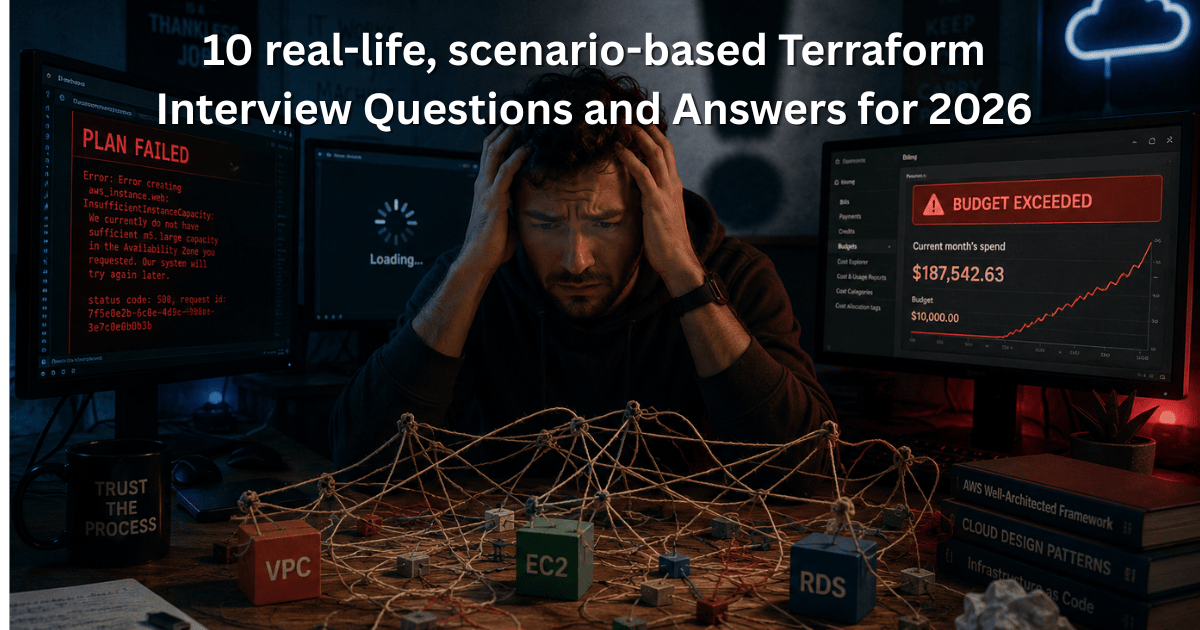
Top 10 Scenario-Based Terraform Interview Questions and Answers for 2026 | AWS & DevOps Guide
As an AWS Specialist and a Terraform professional consultant, I’ve spent years designing cloud architectures and coaching DevOps engineers. If you are preparing for cloud engineering roles in 2026, memorizing basic Terraform commands won’t cut it.
The IT job market, especially in booming tech hubs like Kolkata’s Salt Lake Sector V, is highly competitive. Hiring managers at top MNCs and startups in Kolkata are looking for engineers who can handle production-grade catastrophes, not just write .tf files.
If you are searching for the most reliable Terraform Interview Questions and Answers for 2026, you have landed in the right place. I have structured each question with a Direct Answer followed by a Consultant’s Deep Dive.
Here are 10 real-life, technically critical scenario-based questions that will make you interview-confident.
Scenario 1: The Stuck CI/CD Pipeline (State Locking in Terraform)
Scenario: Your Terraform CI/CD pipeline in Jenkins fails mid-apply due to a network timeout. Subsequent runs fail with a “Error acquiring the state lock”. How do you resolve this without risking state corruption?
- Direct Answer: Investigate the lock ID in the S3 DynamoDB table. If you are 100% certain no other process is running, use
terraform force-unlock <lock-id>to manually release the lock. - Consultant’s Deep Dive: This is a classic scenario in Kolkata’s enterprise DevOps teams. Never jump to
force-unlockimmediately. First, check if a ghost process is actually still running. If two processes write to the state file simultaneously, you will face catastrophic state file corruption, leading to manual state file manipulation—which is a nightmare.
Scenario 2: The Rogue Manual Change (Drift Detection)
Scenario: A developer manually added an inbound rule to an AWS Security Group via the AWS Console. How does Terraform handle this on the next terraform plan, and how do you prevent it?
- Direct Answer: Terraform will detect a “drift” and propose removing the manually added rule in the next plan. To prevent manual changes, you must enable S3 Bucket Versioning and implement AWS Service Control Policies (SCPs) or IAM permissions to restrict console access.
- Consultant’s Deep Dive: Infrastructure as Code (IaC) only works if the code is the single source of truth. In 2026, interviewers expect you to talk about GitOps principles. If manual changes are needed, they must be done in Git, not the console.
Scenario 3: The Legacy AWS Account (Terraform Import)
Scenario: You join a company in Kolkata and inherit an AWS account with 50 existing EC2 instances and VPCs. You need to bring them under Terraform management. What is your step-by-step approach?
- Direct Answer: Use the
terraform importblock (introduced in Terraform 1.5+) to generate the configuration, import the existing resource, and runterraform planto ensure no changes are detected before pushing to Git. - Consultant’s Deep Dive: Before 1.5, we had to write the resource block first, then run the CLI import command. The modern import block makes this declarative. Warning the interviewer about destroying unmanaged resources during an initial
terraform applyshows senior-level maturity.
Scenario 4: Cross-Account State Sharing
Scenario: Your networking team manages the VPC in AWS Account A. Your application team needs to read the VPC ID and Subnet IDs in AWS Account B to deploy an RDS database. How do you achieve this securely?
- Direct Answer: Configure the state file in Account A to be stored in an S3 bucket with cross-account IAM roles. In Account B, use the
terraform_remote_statedata source with anassume_roleto read the outputs. - Consultant’s Deep Dive: Never hardcode resource IDs. By using
terraform_remote_state, you establish a secure, dynamic data pipeline between different Terraform workspaces and AWS accounts. This is a mandatory architecture pattern for multi-account AWS setups.
Scenario 5: The Zero-Downtime Database Update
Scenario: You need to change the instance class of a production Amazon RDS database from db.t3.medium to db.r5.large using Terraform. How do you ensure zero downtime?
- Direct Answer: You configure the
lifecycleblock withcreate_before_destroy = trueand rely on AWS RDS native “Modify” capabilities, which handles an in-place update for instance changes without destroying the resource. - Consultant’s Deep Dive: This is a trick question. While
create_before_destroyis the standard Terraform answer for zero-downtime (like switching EC2 instances behind an ALB), RDS cannot be destroyed and recreated without data loss. You must rely on AWS’s in-place modification, but you must setapply_immediately = falseto allow the change during the next maintenance window, or use RDS Blue/Green deployments for true zero-downtime.
Scenario 6: The Secret in the State File (Security)
Scenario: You pass a database password to the aws_db_instance resource. You realize the password is stored in plain text in the terraform.tfstate file. How do you fix this critical security vulnerability?
- Direct Answer: Remove the password from the Terraform variables. Instead, use AWS Secrets Manager or SSM Parameter Store. Reference the secret dynamically using the
aws_secretsmanager_secret_versiondata source, and mark the variable assensitive = true. - Consultant’s Deep Dive: State files contain sensitive data by default. A true Terraform professional will not only encrypt the state file (using S3 SSE-KMS) but will actively design IaC to avoid putting secrets in the state altogether. This AEO-optimized answer directly hits the security compliance requirements for 2026.
Scenario 7: Workspaces vs. Directory Separation
Scenario: You need to deploy an identical AWS infrastructure to Dev, QA, and Prod environments. Should you use Terraform Workspaces or separate directories (e.g., /environments/dev and /environments/prod)?
- Direct Answer: For production-grade AWS deployments in 2026, use separate directories (often paired with tools like Terragrunt) rather than Workspaces.
- Consultant’s Deep Dive: While Workspaces are great for testing, they share the same backend state file. If a bug deletes the state file, all environments are gone. Separate directories provide complete isolation of state files, reducing blast radius—a critical factor when interviewing for senior AWS/Terraform roles in Kolkata’s finance and banking sectors.
Scenario 8: Complex Security Group Rules (Dynamic Blocks)
Scenario: You need to create an AWS Security Group that allows port 80 and 443 from specific IPs, but only if the environment is “prod”. If it’s “dev”, it should be open to the world (0.0.0.0/0). How do you write this cleanly?
- Direct Answer: Use Terraform
dynamicblocks combined with afor_eachloop over a local variable that conditionally constructs the ingress rules based on thevar.environmentvariable. - Consultant’s Deep Dive: Writing 20 individual resource blocks is a junior-level mistake. Using dynamic blocks shows you understand DRY (Don’t Repeat Yourself) principles. Showcasing conditional logic (
locals { cidr_blocks = var.env == "prod" ? var.prod_ips : ["0.0.0.0/0"] }) proves your HashiCorp Configuration Language (HCL) proficiency.
Scenario 9: The Targeted Destroy (Disaster Recovery with Terraform)
Scenario: During a terraform apply, a specific AWS Lambda function failed to create properly and is stuck in a corrupted state. You want to delete only this Lambda function without touching the other 40 resources in the state. How?
- Direct Answer: Use the command
terraform destroy -target=aws_lambda_function.my_corrupted_function. - Consultant’s Deep Dive: The
-targetflag is a lifesaver in production incidents. However, always remind the interviewer that using-targetcan cause the state file to become out of sync with the actual infrastructure if not followed up by a fullterraform applyto reconcile the dependencies.
Scenario 10: Upgrading Terraform from 0.12 to 1.6+
Scenario: A client’s codebase is stuck on Terraform 0.12. You need to upgrade it to 1.6+ to use modern features like terraform import blocks. What is your upgrade strategy?
- Direct Answer: First, upgrade to 0.13, then 0.14, then 1.0, and finally 1.6. At each step, run
terraform init -upgrade,terraform plan, and rigorously test in a dev environment before moving to the next minor version. - Consultant’s Deep Dive: Never jump versions in Terraform. The transition from 0.12 to 0.13 introduced the dependency lock file (
.terraform.lock.hcl). 0.14 introducedterraform fmtandterraform validatechanges. Skipping versions will break your provider dependencies and state file parsing.
Conclusion: Cracking the AWS & Terraform Interview in 2026
As the cloud landscape evolves, so do the expectations for DevOps engineers. Whether you are aiming for an MNC in Sector V, Kolkata, or a remote-first global enterprise, understanding the why behind these scenarios is what separates a standard candidate from an AWS specialist.
If you are preparing for Terraform Interview Questions and Answers for 2026, focus your energy on State Management, Security, and IaC Best Practices. Master these 10 scenarios, and you will walk into your interview room with unshakable confidence.
Have an upcoming interview? Bookmark this page or share it with your peers in your Kolkata DevOps community to help them prepare!

Cybersecurity Architect | Cloud-Native Defense | AI/ML Security | DevSecOps
𝐖𝐢𝐭𝐡 𝟐𝟑+ 𝐲𝐞𝐚𝐫𝐬 𝐨𝐟 𝐞𝐱𝐩𝐞𝐫𝐭𝐢𝐬𝐞 𝐢𝐧 𝐜𝐲𝐛𝐞𝐫𝐬𝐞𝐜𝐮𝐫𝐢𝐭𝐲 𝐚𝐧𝐝 𝐜𝐥𝐨𝐮𝐝-𝐧𝐚𝐭𝐢𝐯𝐞 𝐝𝐞𝐟𝐞𝐧𝐬𝐞, 𝐈 𝐚𝐫𝐜𝐡𝐢𝐭𝐞𝐜𝐭 𝐫𝐞𝐬𝐢𝐥𝐢𝐞𝐧𝐭 𝐝𝐢𝐠𝐢𝐭𝐚𝐥 𝐞𝐜𝐨𝐬𝐲𝐬𝐭𝐞𝐦𝐬 𝐛𝐲 𝐢𝐧𝐭𝐞𝐠𝐫𝐚𝐭𝐢𝐧𝐠 𝐙𝐞𝐫𝐨 𝐓𝐫𝐮𝐬𝐭, 𝐭𝐡𝐫𝐞𝐚𝐭 𝐢𝐧𝐭𝐞𝐥𝐥𝐢𝐠𝐞𝐧𝐜𝐞, 𝐚𝐧𝐝 𝐩𝐫𝐨𝐚𝐜𝐭𝐢𝐯𝐞 𝐫𝐢𝐬𝐤 𝐦𝐢𝐭𝐢𝐠𝐚𝐭𝐢𝐨𝐧 𝐢𝐧𝐭𝐨 𝐞𝐯𝐞𝐫𝐲 𝐥𝐚𝐲𝐞𝐫 𝐨𝐟 𝐢𝐧𝐟𝐫𝐚𝐬𝐭𝐫𝐮𝐜𝐭𝐮𝐫𝐞.
My journey began in network security (firewalls, IDS/IPS) and evolved through Linux/Windows hardening, IAM, and DevSecOps—bridging security with agile development. Today, I specialize in securing multi-cloud (AWS/Azure/GCP) environments.
𝐀𝐬 𝐚 𝐭𝐫𝐮𝐬𝐭𝐞𝐝 𝐚𝐝𝐯𝐢𝐬𝐨𝐫, 𝐈 𝐡𝐞𝐥𝐩 𝐨𝐫𝐠𝐚𝐧𝐢𝐳𝐚𝐭𝐢𝐨𝐧𝐬:
✔️ Align security investments with business objectives (reducing TCO while maximizing cyber ROI).
✔️ Prioritize risks executives care about—translating technical vulnerabilities into financial/operational impact.
✔️ Optimize team workflows by merging DevSecOps agility with governance rigor—no more “security vs. speed” trade-offs.
𝐂𝐨𝐫𝐞 𝐒𝐭𝐫𝐞𝐧𝐠𝐭𝐡𝐬 & 𝐃𝐢𝐟𝐟𝐞𝐫𝐞𝐧𝐭𝐢𝐚𝐭𝐢𝐨𝐧:
𝘌𝘯𝘥-𝘵𝘰-𝘦𝘯𝘥 𝘴𝘦𝘤𝘶𝘳𝘪𝘵𝘺 𝘢𝘳𝘤𝘩𝘪𝘵𝘦𝘤𝘵𝘶𝘳𝘦—𝘧𝘳𝘰𝘮 𝘯𝘦𝘵𝘸𝘰𝘳𝘬 𝘩𝘢𝘳𝘥𝘦𝘯𝘪𝘯𝘨 𝘵𝘰 𝘈𝘐-𝘥𝘳𝘪𝘷𝘦𝘯 𝘵𝘩𝘳𝘦𝘢𝘵 𝘥𝘦𝘵𝘦𝘤𝘵𝘪𝘰𝘯.
𝐌𝐮𝐥𝐭𝐢-𝐂𝐥𝐨𝐮𝐝 𝐒𝐞𝐜𝐮𝐫𝐢𝐭𝐲: Deep expertise in AWS/Azure/GCP security tools (Kubernetes, CSPM, CWPP).
𝐓𝐡𝐫𝐞𝐚𝐭 𝐈𝐧𝐭𝐞𝐥𝐥𝐢𝐠𝐞𝐧𝐜𝐞 & 𝐅𝐨𝐫𝐞𝐧𝐬𝐢𝐜𝐬: Proactive hunting, incident response, and post-breach analysis.
𝐙𝐞𝐫𝐨 𝐓𝐫𝐮𝐬𝐭 & 𝐈𝐀𝐌: Architecting least-privilege access, PKI, and micro-segmentation.
𝐀𝐈/𝐌𝐋 𝐒𝐞𝐜𝐮𝐫𝐢𝐭𝐲: Securing LLMs, MLOps pipelines, and data lakes against adversarial attacks.
𝐑𝐞𝐜𝐞𝐧𝐭 𝐂𝐨𝐧𝐬𝐮𝐥𝐭𝐢𝐧𝐠 𝐏𝐫𝐨𝐣𝐞𝐜𝐭𝐬 – 𝐀𝐠𝐞𝐧𝐭𝐢𝐜 𝐀𝐈 & 𝐀𝐈 𝐒𝐞𝐜𝐮𝐫𝐢𝐭𝐲:
✔️ Led security architecture for a GenAI‑powered Agentic AI system (autonomous task‑planning agents using LangChain & AutoGPT). Designed guardrails against prompt injection, tool‑calling abuse, and data exfiltration via agent‑to‑agent communication. Result: Zero security breaches across 10k+ agentic transactions.
✔️ Advised a fintech firm on AI supply chain security – hardened their LLM fine‑tuning pipeline (Hugging Face + AWS SageMaker) against model poisoning and backdoor attacks. Implemented real‑time anomaly detection for model inputs using statistical outlier scoring.
Let’s connect and discuss the future of secure, intelligent infrastructure.